I saved, and it became yesterday's version
I overwrote a file a colleague had already edited, without knowing.
REFLO Editor
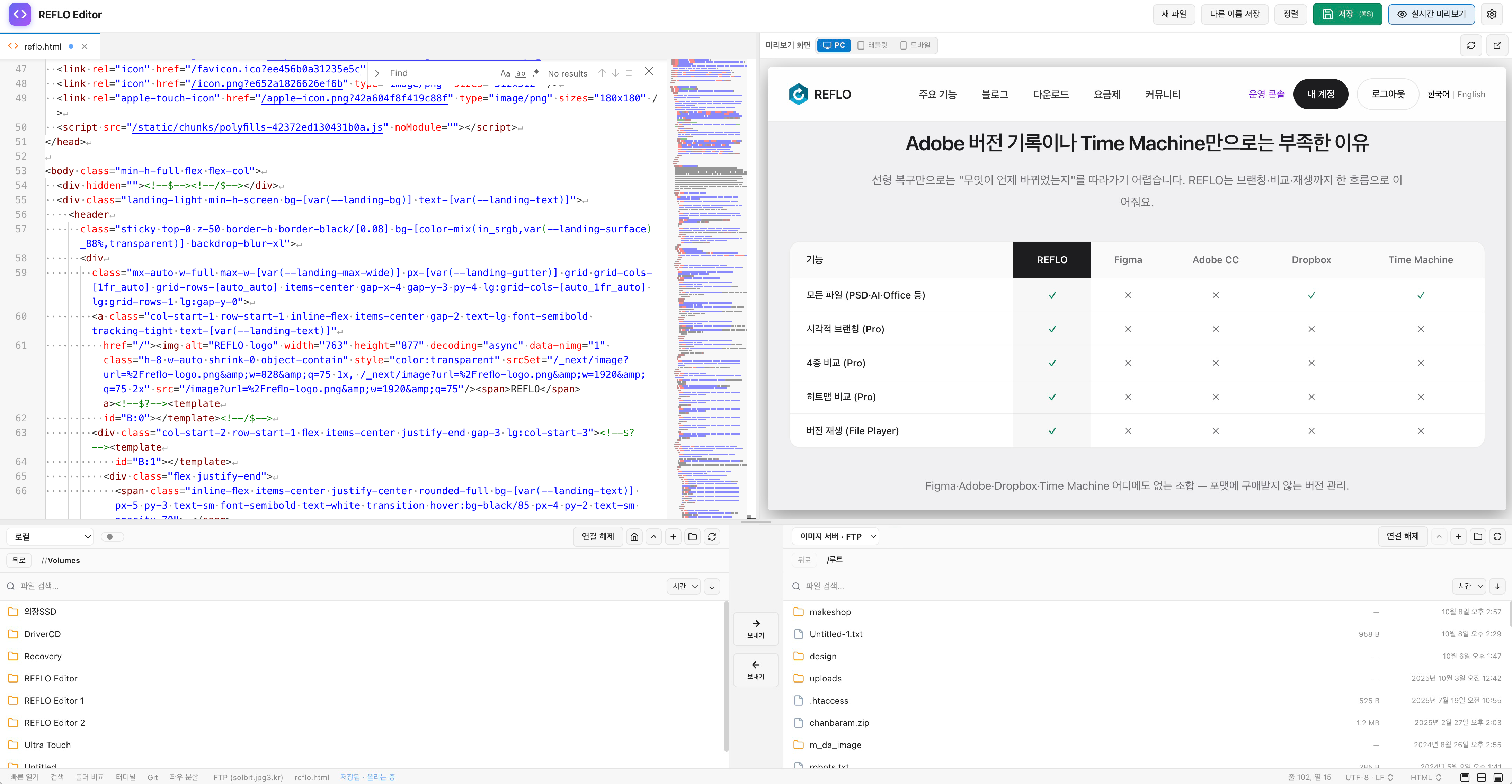
Edit HTML and PHP, preview right away, and upload from the same screen. Before you upload, you look at the changes first, keep the previous file, and then upload.
Mac (Apple Silicon and Intel) · Windows
I overwrote a file a colleague had already edited, without knowing.
I only found out after uploading broken PHP.
I saved an EUC-KR document as UTF-8.
I switch between an FTP program, an editor, and a browser.
REFLO Editor is built to stop these four things inside the app.
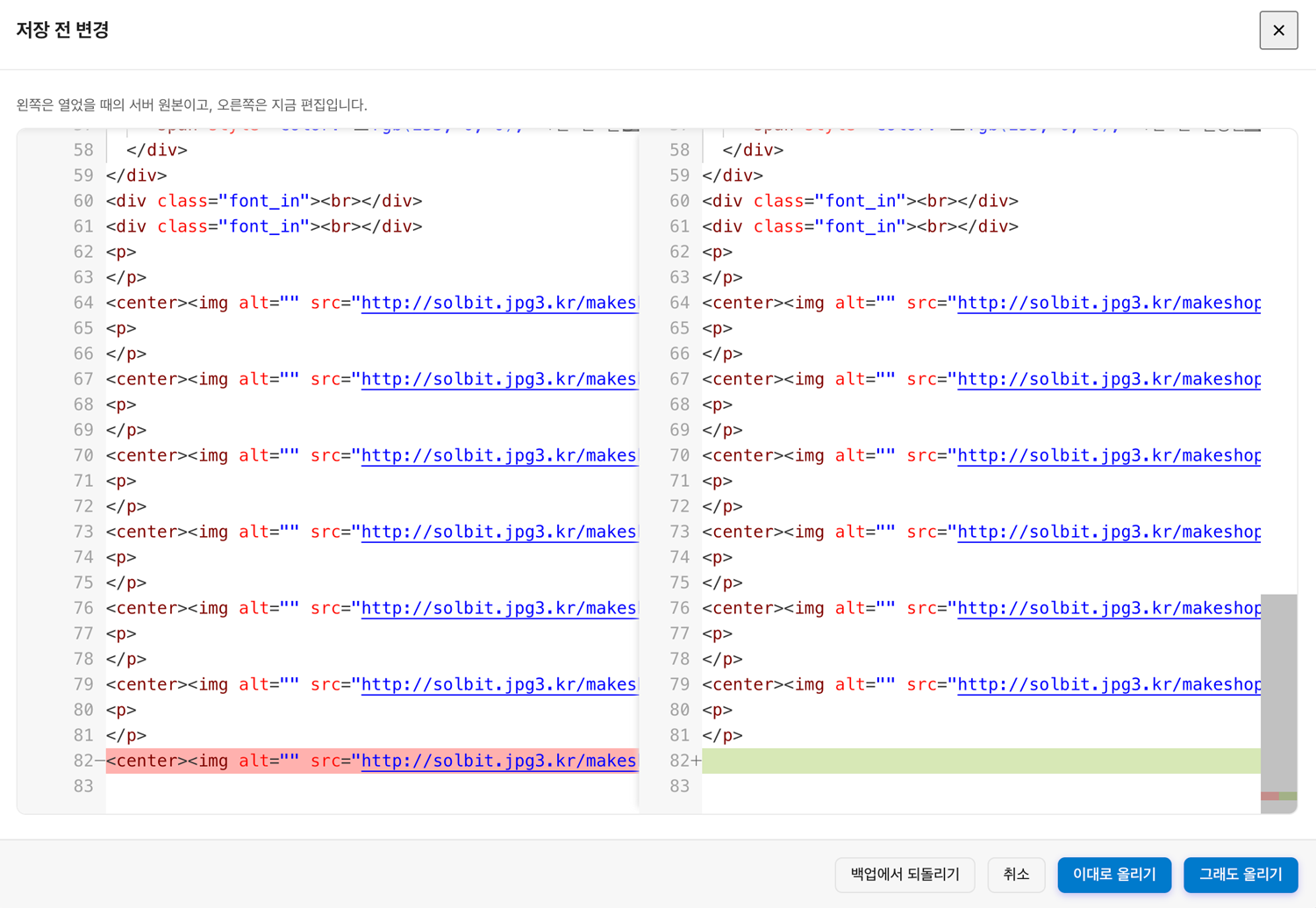
① Compare
When you save, it shows the server original and your edits side by side. It goes up only after you confirm.
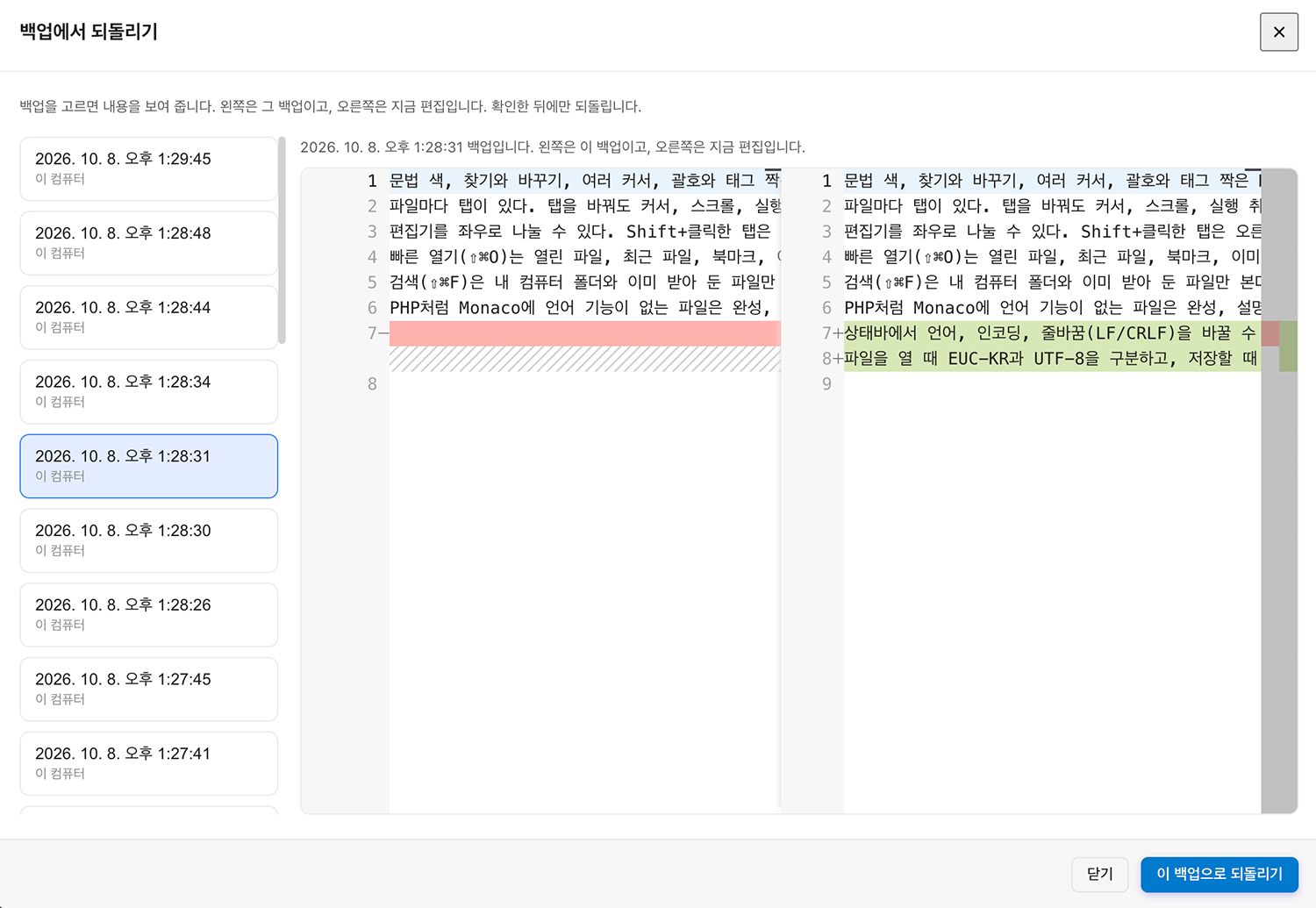
② Backup
It backs up somewhere the web cannot open, uploads under a temporary name, then swaps. If it fails, it goes back to the previous file.
③ Block
If it was edited first, it warns you. If PHP·JavaScript·JSON is broken, it stops the upload.
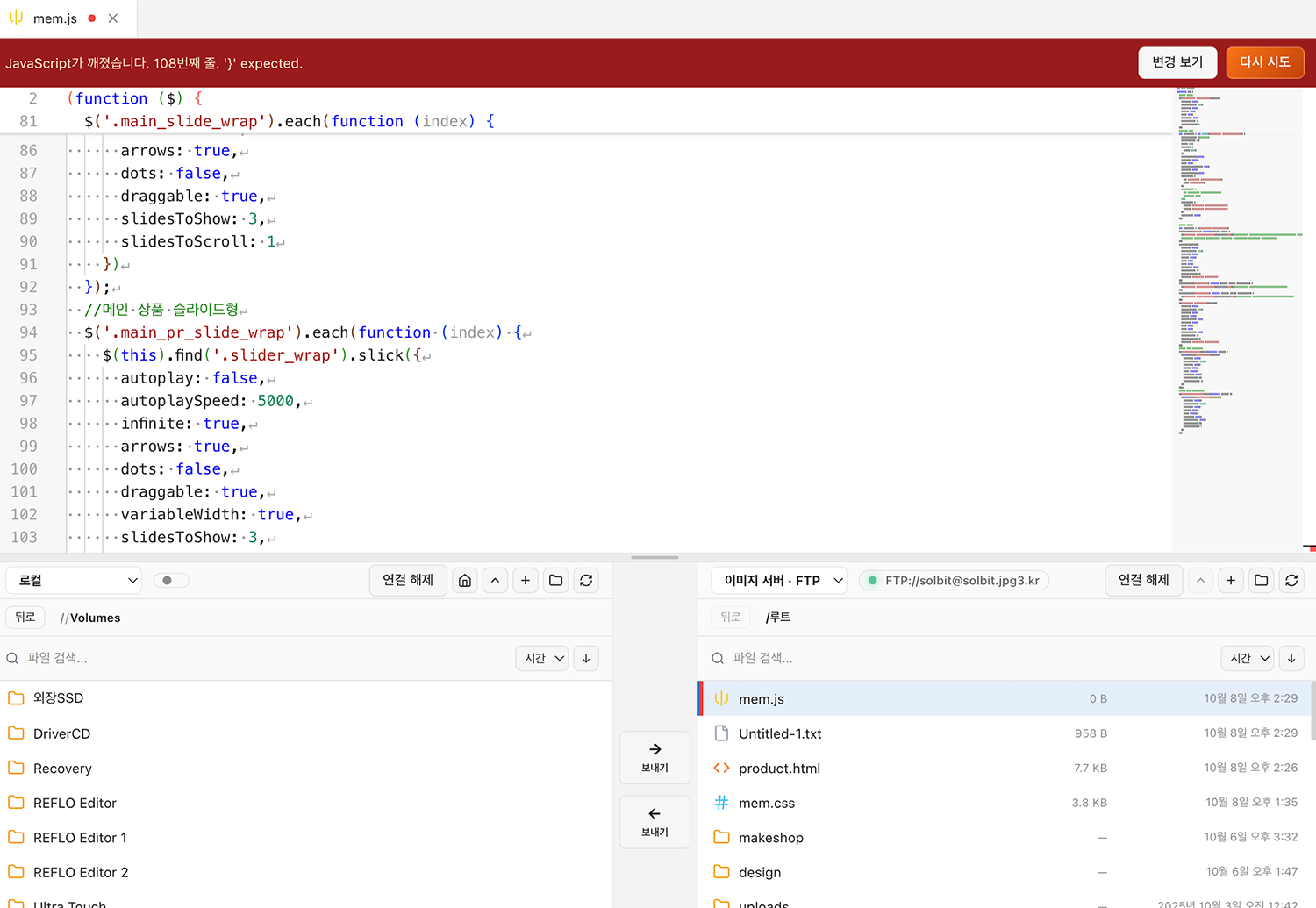
1Connect
FTP, FTPS, SFTP, WebDAV. The password stays only in the operating system's credential store.
2Edit
What you change shows on the screen right away.
3Check
You see what is on the server next to your edits.
4Backup
The previous file stays where the web cannot open it.
5Upload
It uploads under a temporary name, then switches to the original name.
Whatever you install, you can start right away without a separate sign-up.
Language · No file size · Install · Updates
REFLO records earlier moments of the design work. Editor takes care of the server files.
See REFLO