
Your file is named _final_REALfinal_v3.psd
Copying for every round clutters the folder — and nobody knows which one is actually latest.
Visual version history · Mac · Windows · local-first
Go beyond undo and roll back to any past version,and keep the versions you split off.
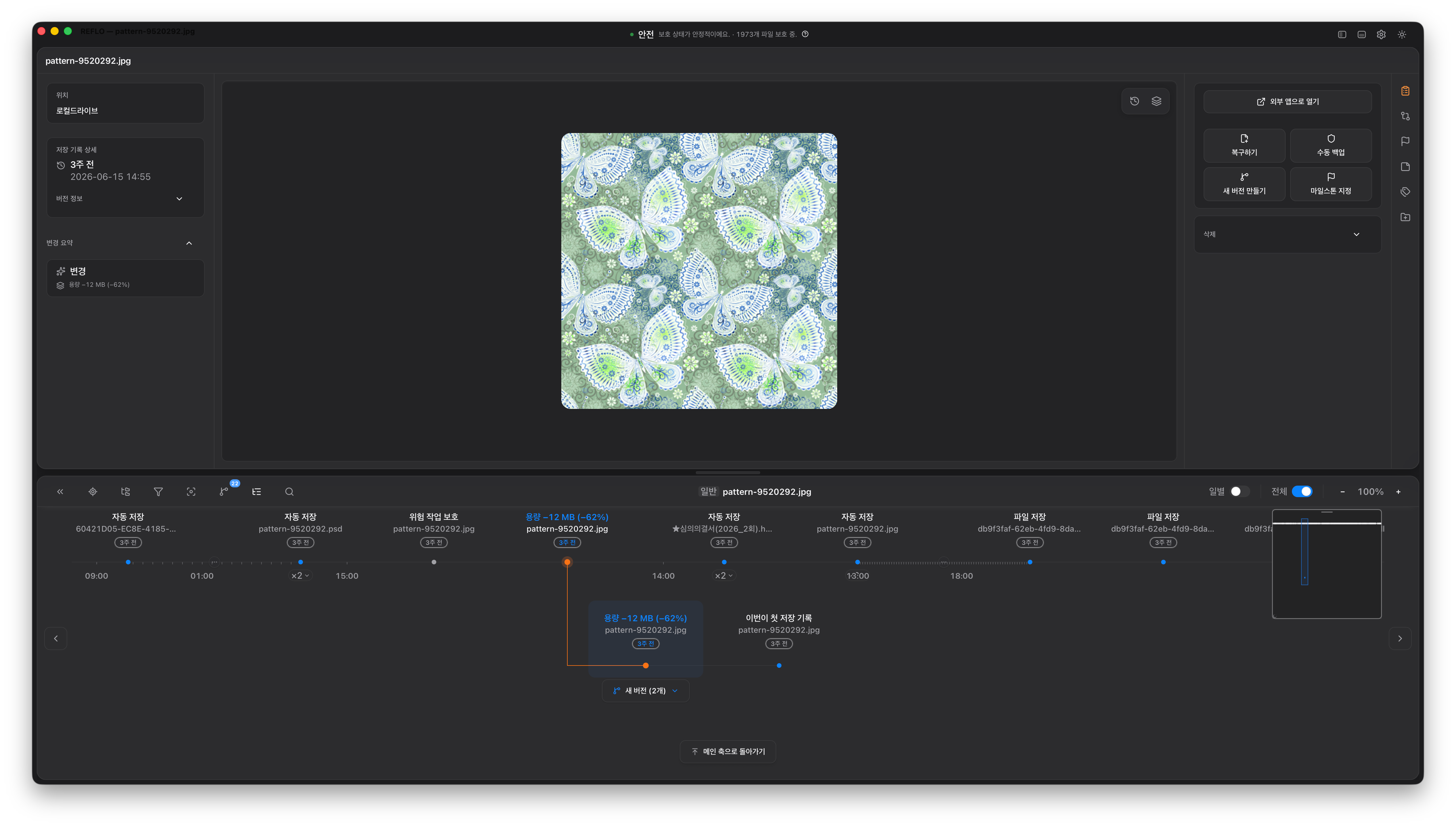
Copying for every round clutters the folder — and nobody knows which one is actually latest.
Time Machine or cloud restore sometimes wiped the work you were trying to save.
The list shows similar dates, but you can't picture what that version looked like.
Adobe's version history alone doesn't answer "what's different between draft A and B?"
REFLO remembers every one of these moments for you.
Photoshop, Illustrator, Figma, Office docs — and more
Works alongside
Linear recovery doesn't show what changed and when. REFLO connects branching, compare, and replay in one flow.
| Feature | REFLO | Figma | Adobe CC | Dropbox | Time Machine |
|---|---|---|---|---|---|
| All files (PSD, AI, Office, …) | ✓ | ✗ | ✗ | ✓ | ✓ |
| Visual branching (Pro) | ✓ | ✗ | ✗ | ✗ | ✗ |
| Four compare modes (Pro) | ✓ | ✗ | ✗ | ✗ | ✗ |
| Heatmap compare (Pro) | ✓ | ✗ | ✗ | ✗ | ✗ |
| Version replay (File Player) | ✓ | ✗ | ✗ | ✗ | ✗ |
A combination Figma, Adobe, Dropbox, and Time Machine don't offer — format-agnostic version control.
Restore · Safety
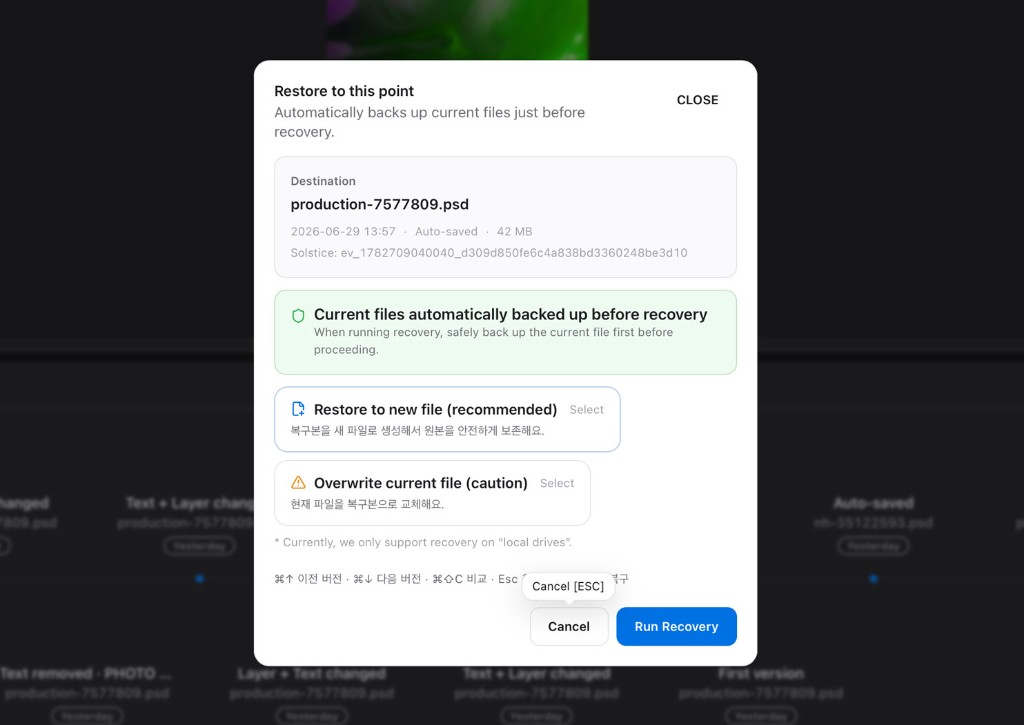
Overwrote a file by mistake? Don't panic. Roll back to any version you need, anytime. REFLO also keeps your current file safe automatically right before you restore.
💡 vs Time Machine — Time Machine rewinds the whole computer. REFLO picks the exact version inside the project you were working on.
Timeline · Branching
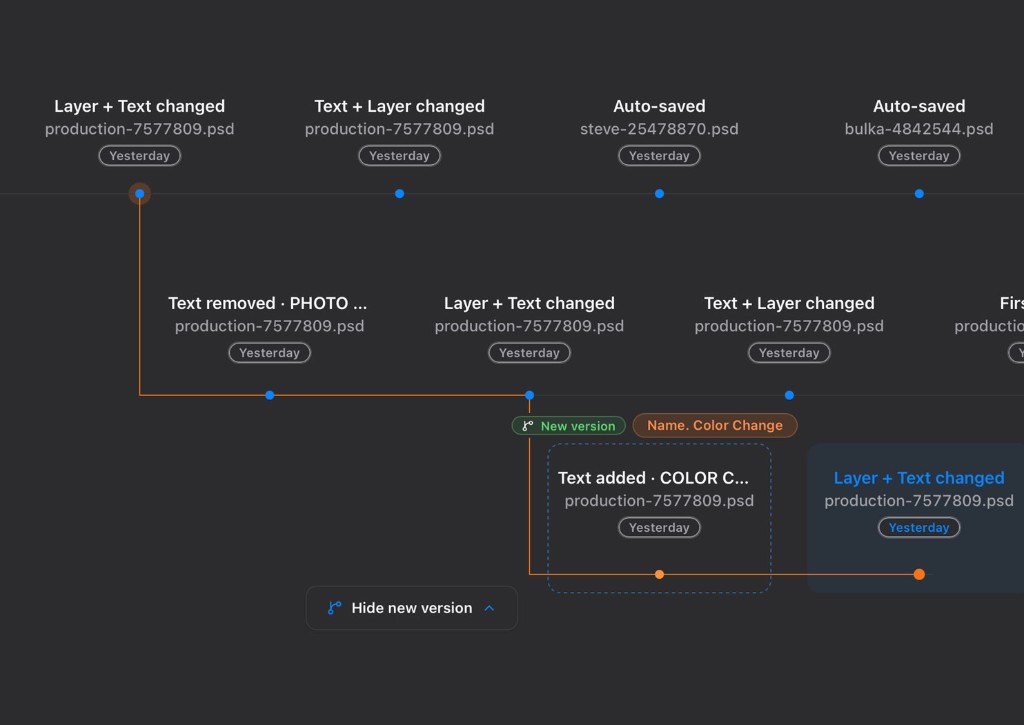
Still copying files every time a direction splits? Create a new work track safely with one click. Manage multiple ideas in one timeline — each on its own track, nothing lost in the shuffle.
💡 REFLO's timeline, not just file backup — designers read and steer their workflow track by track on a visual timeline.
Plugin · Photoshop
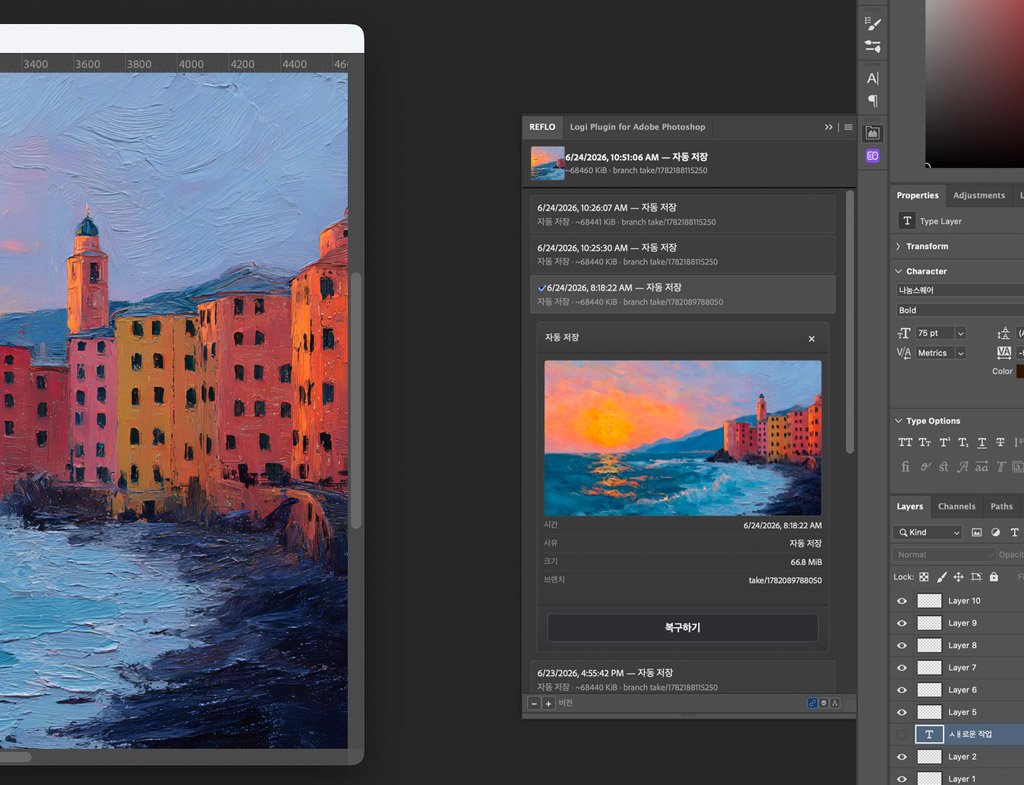
Stop bouncing between Photoshop and the REFLO app just to find a version. View history and restore from the REFLO panel in Photoshop, then continue detailed compare and replay in the REFLO app.
💡 How is this different from Adobe's built-in version history? — Unlike Adobe's cloud-focused history, local PSDs on your computer get REFLO history you can browse and restore from the panel. Four compare modes are Pro. Version replay continues in the REFLO app.
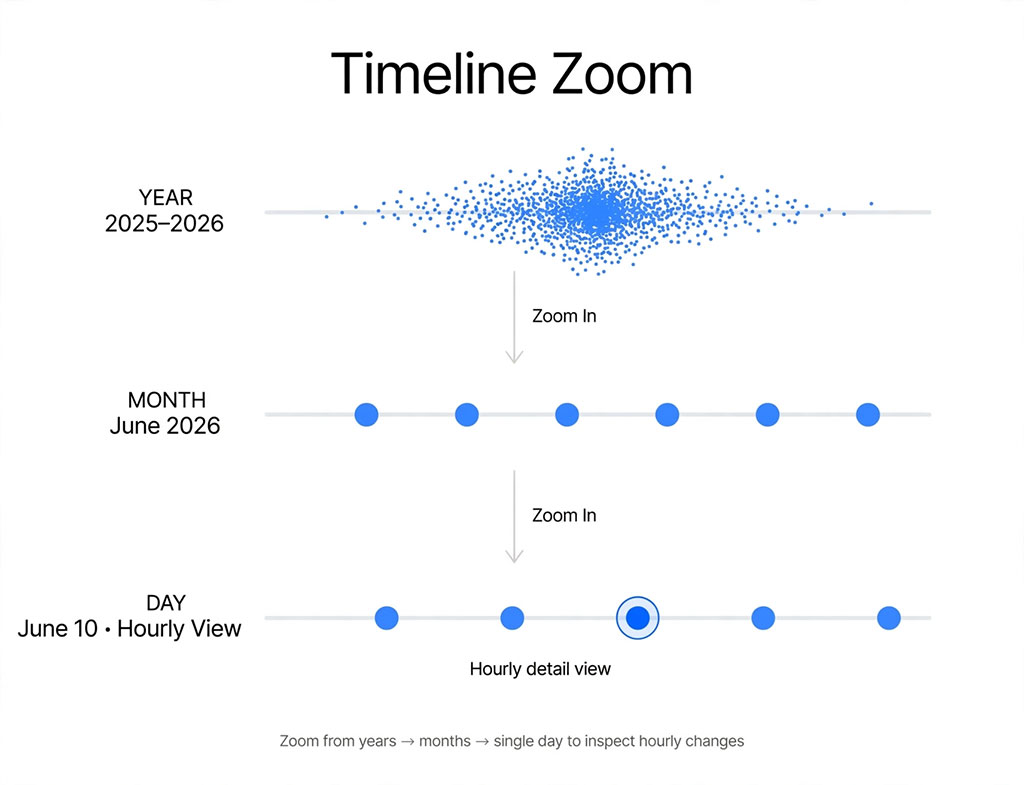
Timeline · Zoom
Endless scrolling wears you down as history grows. REFLO lets you zoom out and shift time scales — find work from months ago in just seconds.
💡 Not just a long list you scroll — move through time itself instead of skimming text. Find that draft by feel, not by guessing "was it three days ago?"
Compare · Unique
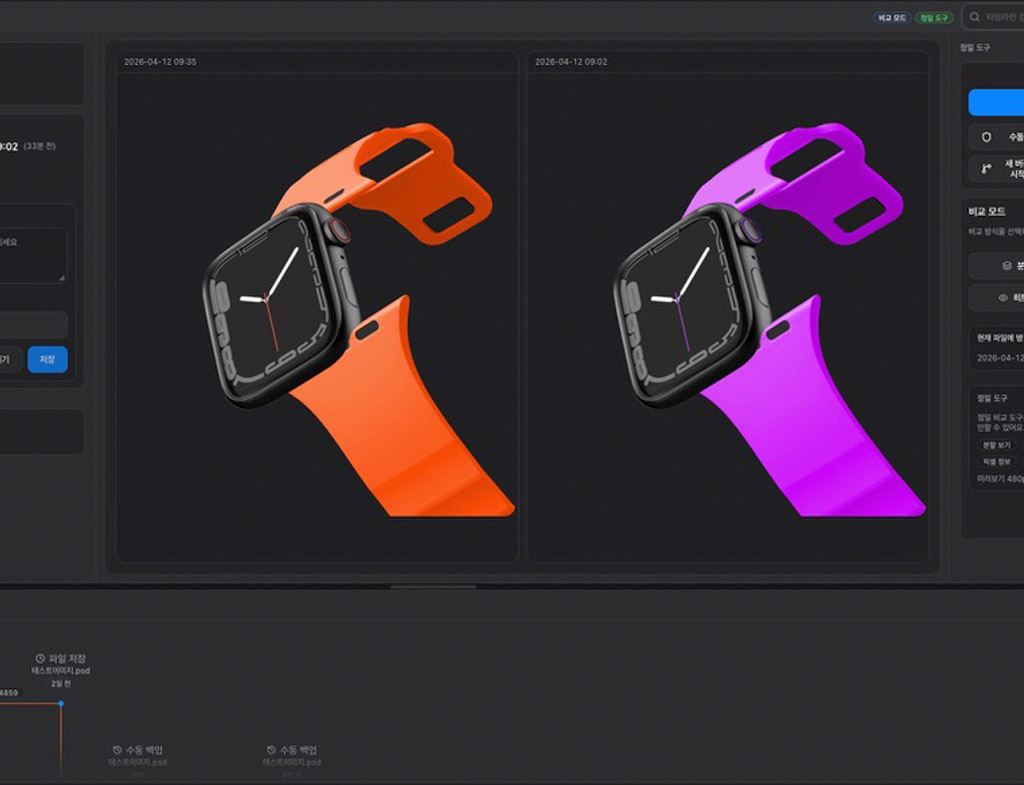
Side-by-side alone misses subtle changes. Split, Overlay, Heatmap, and Blink catch layout, pixel, and tone shifts.
Side by side — first pass for layout and copy changes.
Stack and fade — pixel nudges and alignment drift.
Color only where it changed — scan the whole canvas once.
Alternate in place — tone and color shifts that static views miss.
Heatmap compare is REFLO-only — a change map Adobe, Figma, and Dropbox don't offer.
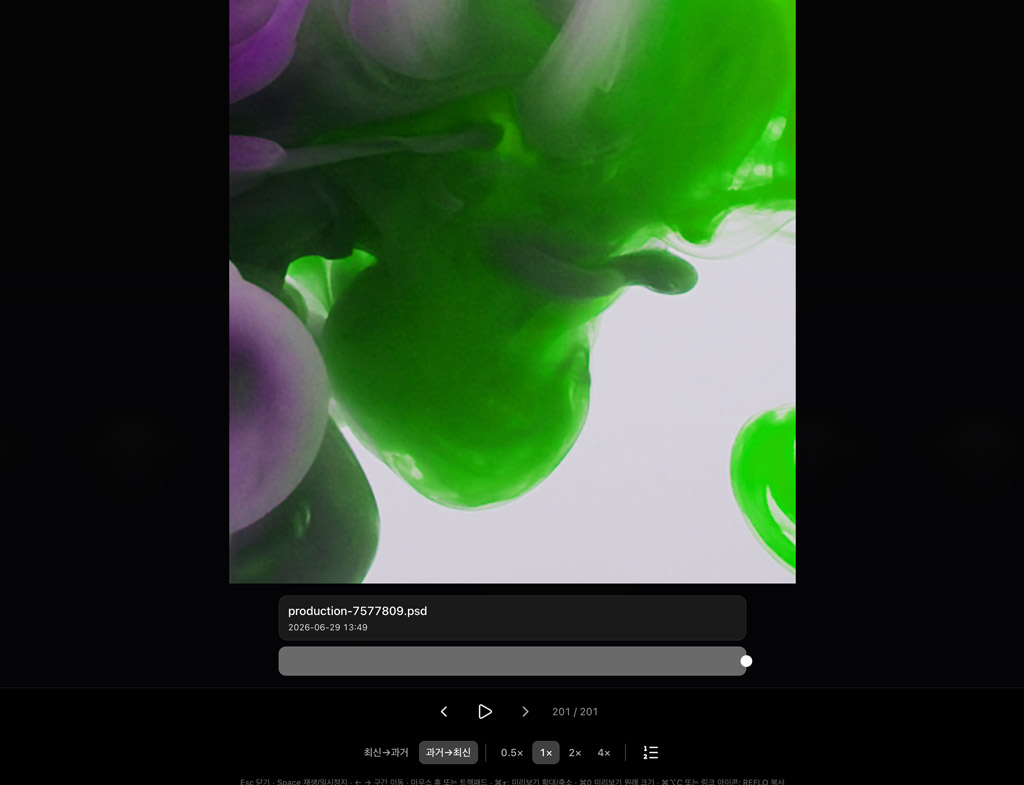
Replay · File Player
A flat text list can't hold the real story. From the first save to right now, see the doubts and flow behind your design come alive in REFLO's file player.
💡 A file player Dropbox, Time Machine, and Adobe don't have — beyond looking up the past, turn your process into portfolio and presentation power.
Storage · Delta
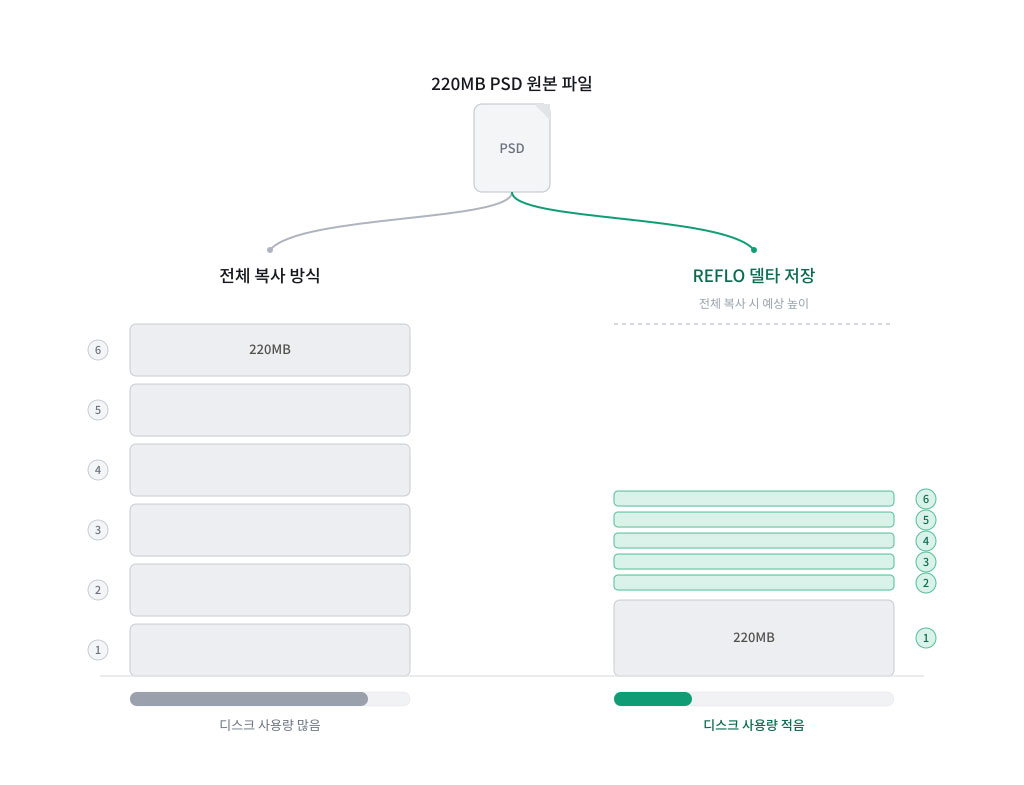
Worried your drive will fill up every time you save a heavy PSD? REFLO doesn't duplicate the whole file — it smartly stores only what you actually changed. Stack as many versions as you want; disk grows only by the delta.
💡 Running out of space and deleting older work? — Full-copy backups fill disks fast and force you to erase the past. With REFLO's smart storage, the same computer holds a much longer trail of your work.
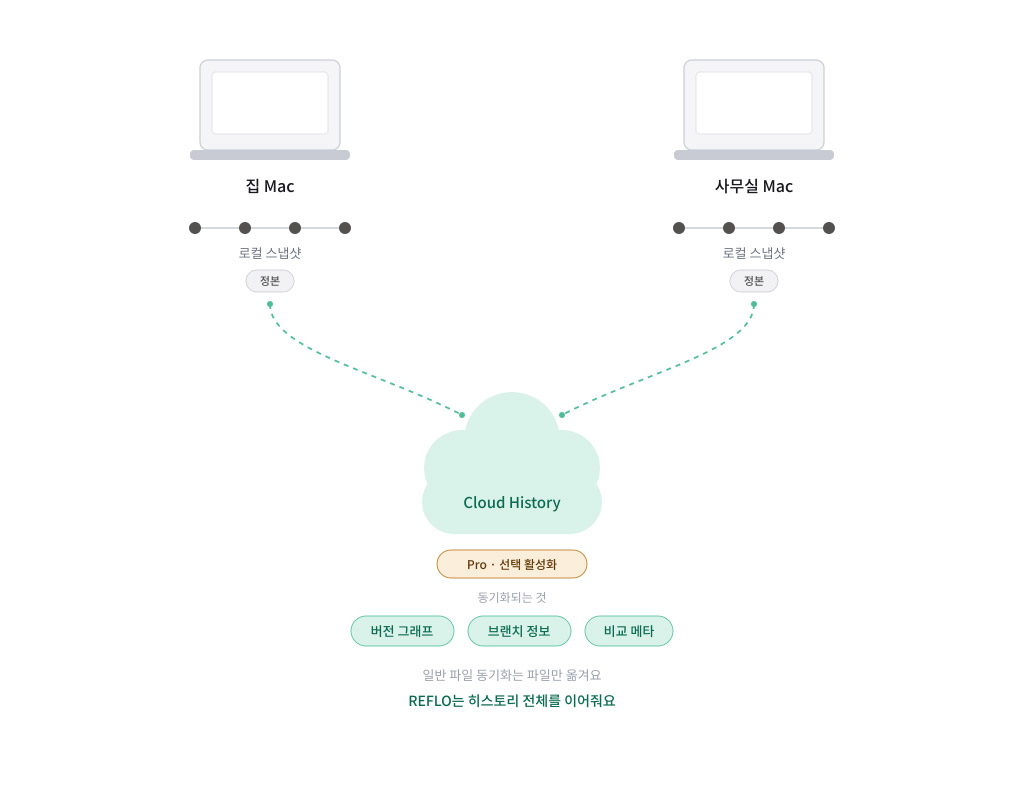
Cloud · Optional
REFLO runs safely with your computer (local) at the center. Turn on Cloud History on Pro and pick up the same idea tracks and work history when you switch places or computers.
💡 History sync, not just file sync — Unlike simple file-copy cloud services, REFLO syncs the full work context: idea tracks (branches), version history, and compare metadata.
Smartly saves only what changed. (Disk use may vary slightly depending on how you work.)
Saves your current state right before restore — so you can undo the undo with confidence.
Even with thousands of files, find the past version you need in just seconds.
Safely manage almost every format you use in design work — no extension limits.
Work history is stored on your computer first. Enable cloud sync only when you need it.
Browse history and restore from the Photoshop panel. Compare and replay continue in the REFLO app.
Split screen explorations into clean tracks — and smartly keep only the directions you ship.
Even heavy, layered Photoshop files — compare with earlier versions and see exactly what changed.
Through messy feedback rounds, pin 「final approved」 or 「delivery」 milestones and collect them in one place.
Version InDesign deliverables together with briefs and meeting notes — all in one project folder.
Most tools only roll a file back or overwrite it with the latest. REFLO keeps PSD, AI, and Office files on your computer on a timeline. Free includes split compare and 14-day retention. Overlay, heatmap, Blink, branching, and global search are Pro. Version replay on Free stays within 14 days.
Don't lose another version of work you care about.